Multi Application Management
Manage multiple business applications from one unified account
Key Benefits
What you'll achieve
Ideal For
Perfect use cases
Everything included in Multi-App
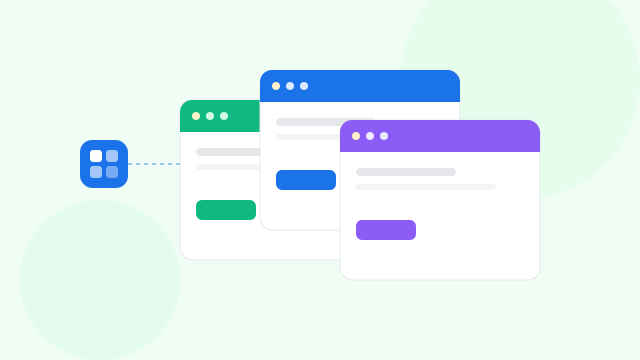
Sign Paperless enables organizations to operate multiple business applications within a single unified account, each functioning as an isolated, independent workspace. Every application can have its own branding, workflows, templates, template links, and user assignments. This separation ensures cleaner data management and prevents cross-application interference. Enterprises with multiple departments, brands, or branches can maintain structured, organized workflows without overlap. Admins can manage each app's settings, permissions, and security independently. A simple dropdown lets users switch between applications seamlessly. This architecture supports scalability, transparency, and operational efficiency across the entire organization.
App Creation & Management
Manage multiple applications under one central account, each functioning as its own independent workspace. Assign unique workflows, settings, and user roles per app to match business divisions. This separation ensures clean data organization and eliminates cross-app interference. Ideal for enterprises operating multiple brands, branches, or departments.
App-Level Branding
Upload a dedicated logo and branding name for each application to maintain a tailored identity. This allows client-facing screens, emails, and templates to reflect accurate branding. Teams managing different companies or business verticals can deliver a professional, brand-consistent signing experience.
Timezone, Date Format & Hour Settings
Configure timezone, date style, and hour settings independently for each application. These controls ensure template deadlines, signing timestamps, and reports always match the preferred regional or operational format. Perfect for distributed teams who work across locations or international time differences.
API Access & Key Management
Generate secure API keys at the application level to integrate individual apps with external systems. Each key is isolated from others, enabling safe automation while keeping data walls intact. Disable or rotate keys anytime to maintain strong security and compliance.
User Access Assignment (Admin & FormWizer)
Assign users to specific applications based on their roles and responsibilities. Admins maintain full access, while FormWizers get template and document creation permissions. These granular controls ensure each team member works only within the apps relevant to their department.
App-Specific Templates & Template Links
Each application maintains its own library of templates and template links, ensuring content stays organized and business-specific. Teams can create, version, and reuse templates without affecting other applications. This helps large organizations manage diverse document workflows effortlessly.
Independent Recipients & Transaction History
Recipients and template activity are stored separately for each application, preventing data mixing between teams. Every app holds its own audit trail, signing history, and delivery logs. This maintains confidentiality while simplifying reporting and compliance.
Application Switcher
Easily move between applications using the dropdown in the top navigation bar. Users gain seamless access to multiple workspaces while maintaining proper data boundaries. This feature helps admins oversee operations across apps without repetitive logins.
Explore related features
Discover more capabilities that work great with Multi-App